I have a pair of Halowlink-1, one in AP mode and one as a client. Version 2.7.6
on initial power up of both units the 900mhz connection happens within a minute and works great. However if the client side becomes disconnected (briefly out of range, or power cycled) it takes a very long time to re connect.
is there a setting I can change so it will re connect quicker? Sometimes it takes around 5 minutes for the re connection to happen.
Hi @lightingtech, thanks for bringing this to our attention. We’re actively investigating the issue, but in the meantime here’s a temporary workaround you can apply on your access point (the device with the green status light):
On your access point (AP):
-
Navigate to the web GUI via http://192.168.12.1
-
Once logged in, use the side bar menu to navigate to Network → Wireless.
-
Click the ‘Edit’ button on the HaLow network row, which should be the one right below the row containing ‘Morse Micro MM6108A1 802.11AH radio’.
-
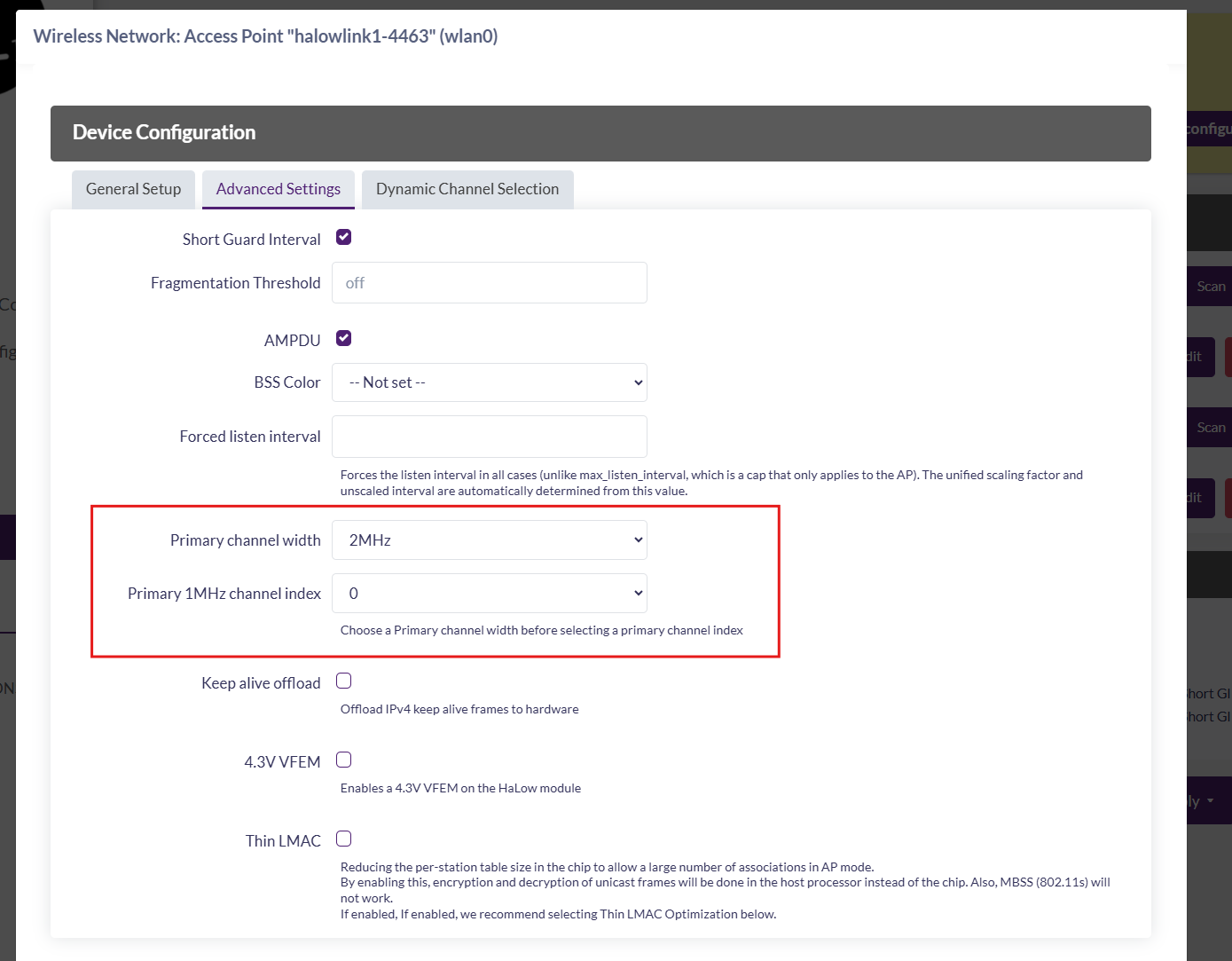
In the pop-up go to the ‘Advanced Settings’ tab and only set the following:
‘Primary channel width’ → 2 MHz
‘Primary 1MHz channel index’ → 0
-
Click the ‘Save’ button on the pop-up.
-
Click ‘Save & Apply’ on the page itself to apply these changes.
This should keep things stable while we continue working on a permanent fix. Please let us know if you run into any issues applying the steps or if the workaround doesn’t resolve the problem.
Just a quick update - there is a new release in the works for the HaLowLink 1 which contains fixes for this issue.