Linux shows Halow module is using 5GHz bands

Hi All!

To aid in urban search-and-rescue I am building a small backpack that trained rats can carry while finding survivors beneath rubble. I am using WiFi Halow to stream video and audio from this device to operators on the surface. The device seems to be working fine, but the distance I am able to achieve seems limited. Currently I can stream video through one floor to the apartment below me, but not two, which seems far off from the theoretical maximum. Even at 1m distance the AP reports a low RSSI of -40 to -50 dBm.

The HaLow module is connect to an NXP i.MX8M-Mini via SDIO. When I run iw dev I get the followng. It show the correct SSID and txpower, but the wrong channel, something in the 5GHz range.

root@ucm-imx8m-mini:~# iw dev
phy#0
        Interface wlan0
                ifindex 2
                wdev 0x1
                addr 00:0a:52:09:18:ad
                ssid RescueRatStation
                type managed
                channel 136 (5680 MHz), width: 20 MHz, center1: 5680 MHz
                txpower 21.00 dBm

I have set the country-code to US through /etc/modprobe.d/morse.conf. Running iw reg get gives:

root@ucm-imx8m-mini:~# iw reg get
global
country 00: DFS-UNSET
        (2402 - 2472 @ 40), (N/A, 20), (N/A)
        (2457 - 2482 @ 20), (N/A, 20), (N/A), AUTO-BW, PASSIVE-SCAN
        (2474 - 2494 @ 20), (N/A, 20), (N/A), NO-OFDM, PASSIVE-SCAN
        (5170 - 5250 @ 80), (N/A, 20), (N/A), AUTO-BW, PASSIVE-SCAN
        (5250 - 5330 @ 80), (N/A, 20), (0 ms), DFS, AUTO-BW, PASSIVE-SCAN
        (5490 - 5730 @ 160), (N/A, 20), (0 ms), DFS, PASSIVE-SCAN
        (5735 - 5835 @ 80), (N/A, 20), (N/A), PASSIVE-SCAN
        (57240 - 63720 @ 2160), (N/A, 0), (N/A)

phy#0 (self-managed)
country US: DFS-invalid
        (902 - 904 @ 2), (N/A, 30), (N/A), AUTO-BW
        (904 - 920 @ 16), (N/A, 30), (N/A), AUTO-BW
        (920 - 928 @ 8), (N/A, 30), (N/A), AUTO-BW
        (5650 - 5690 @ 40), (N/A, 30), (N/A), AUTO-BW
        (5170 - 5330 @ 160), (N/A, 30), (N/A), AUTO-BW
        (5490 - 5650 @ 160), (N/A, 30), (N/A), AUTO-BW
        (5735 - 5895 @ 160), (N/A, 30), (N/A), AUTO-BW

This shows some Halow channels listed, but manually setting the interface to use any Halow channel seems restricted:

root@ucm-imx8m-mini:~# iw dev wlan0 set channel 1
kernel reports: Channel is disabled
command failed: Invalid argument (-22)
root@ucm-imx8m-mini:~# iw dev wlan0 set channel 2
kernel reports: Channel is disabled
command failed: Invalid argument (-22)
root@ucm-imx8m-mini:~# iw dev wlan0 set channel 3
kernel reports: Channel is disabled
command failed: Invalid argument (-22)
root@ucm-imx8m-mini:~# iw dev wlan0 set channel 4
kernel reports: Channel is disabled
command failed: Invalid argument (-22)
root@ucm-imx8m-mini:~# iw dev wlan0 set channel 6
kernel reports: Channel is disabled
command failed: Invalid argument (-22)
root@ucm-imx8m-mini:~# iw dev wlan0 set channel 7
kernel reports: Channel is disabled 

Now my question is two-fold:

  1. Could this be causing the range of the halow link to be degraded even though it is physically working near the 900 MHz band?
  2. If so, how can I solve this issue?

Thanks for your help!

1 Like

Wow, that sounds like an awesome project!

Firstly, with regards the 5GHz channels: due to existing Linux kernels not having full support for HaLow (we’re working on it!), our current driver pretends that it’s a 5ghz driver. This makes it easier to use in most situations, but can be confusing.

If you use our OpenWrt distribution, this has userspace changes (e.g. to iwinfo) which map these back, but we have not patched the iw utility. Usually this doesn’t matter, as you would be using hostapd_s1g and wpa_supplicant_s1g to set the channels, and these understand HaLow; is there a reason you’re trying to use iw to change channels? If you do this ‘underneath’ an existing connection, I suspect it will disrupt your AP.

So, to actually answer your question, I’m afraid this is not causing any range issues.

Regarding range:

  • as with any WiFi, if you put enough material in the way you will block the signal
  • having said that, I am surprised you can’t do two floors; what module/channel/antenna are you using?
  • you may also want to check the noise level; you can get a rough idea of this by running morse_cli stats (and look for Noise (dBm)). There may be other non-HaLow devices using ~900MHz in your apartment block

Speaking to the range a little bit. The signal strength at 1m away being about -40 to -50dBm does seem to be very low. Normally we’re telling people to move devices further apart at that distance so they don’t overload the receivers!

From the mac address, this looks to be an AsiaRF module? Can you share the BCF you’re using for this module and the specific module?

Also, what antennas are you using at both ends?

Hi @james.haggerty and @ajudge ,

Thanks for your replies!

Good to hear that the 5GHz is explained. I was only using iw, because that is what I know.

I understand that with too much concrete the signal will degrade too far. As a backup we are always recording the video locally so we can review the footage later. Of course having it stay live as long as possible is preferred, especially because we can then speak to survivors beneath the rubble through the backpack.

The noise using morse_cli stats is reported as Noise dBm:-84. This is not very high is it? Full result is pasted below.

Observing the RSSI on the router some more show that it fluctuates between -20 and -50 dBm. Perhaps just a lot of scattering in my apartment causing destructive and constructive interference.

I am indeed using the AsiaRF (MM6108-001) module with TE’s ANT-LTE-RPC-ccc antenna. For the router I am using HALOW-R by Alfa. I am using the stock whip antenna, but have also used a Yagi-Uda from AsiaRF. Using the Yagi-Uda I can get clear video one floor down. Not with the whip antenna. I have used various channels, including dynamic channel selection. All my testing is done at 1 MHz BW to optimize range. See a simple diagram below.

I am using bcf_mf08251.bin, as you provided in this thread last year: Mmc1: Timeout waiting for hardware interrupt - #34 by ajudge

root@ucm-imx8m-mini:~# morse_cli stats
System uptime (us): 422436382
retry table:
Retry   Count   Avg Time
=====   =====   ========
0       464     7267
1       119     8926
2       15      20571
3       2       15643
4       0       0
5       0       0
6       0       0
7       0       0
8       0       0
9       0       0
10      0       0
11      0       0
12      0       0
commands received: 74
commands responded: 73
commands repeated: 0
commands failed: 0
commands response failed: 0
commands pending: 0
commands late: 0
last host ID: 1184
total_fh_page_irq: 626
total_fh_pages: 626
total_th_page_irq: 861
total_th_pages: 881
Aon clk long calibration: 0
Aon clk frequency: 28170
Aon sleep duration adjusted for clock tolerance: 0
number of PS_sleep: 0
woke from PS (timer): 0
woke from PS (pin): 0
Pager from_host reaped: 5741
Pager to_host reaped: 0
to_host pages dropped (host in standby): 0
Invalid pages received: 0
Events to host sent: 4
Events to host failed: 0
No page for offload response: 0
ARP requests detected: 0
ARP requests answered: 0
ARP requests dropped: 0
ARP requests let through: 0
ARP table updated: 0
ARP gratuitous generated: 0
tx_status none to send: 5782
tx_status couldnt get page: 0
tx_status dropped: 0
tx_status buffer flushed: 184
tx_status transmission corrupted: 0
tx_status page reaped: 0
Wake action frames handled: 0
Host main task unused stack (words): 165
Host timer task unused stack (words): 60
RTOS heap free bytes: 5112
IPv4 Packets received: 390
TCP Packets received: 105
UDP Packets received: 134
Whitelist Packets ignored: 0
Whitelist Packets dropped: 0
Whitelist Packets allowed: 0
ICMP Packets received: 143
ICMP requests detected: 0
ICMP requests answered: 0
ICMP requests dropped: 0
DHCP Packets received: 0
DHCP discoveries sent: 0
DHCP requests sent: 0
DHCP lease updates sent: 0
DHCP leases fully expired: 0
DHCP leases obtained: 0
DHCP leases renewed/rebound: 0
TCP keepalives answered: 0
TCP keepalives to host: 0
TCP keepalives generated: 0
TCP keepalive connection lost: 0
Standby wakeup frame rx: 0
Standby status frame (standby) tx: 0
Standby status frame (awake) tx: 0
To mcu wake pin toggle: 0
Standby SA Query request tx: 0
RX corrupt dot11 action frames: 0
BSS keep alive tx: 0
TWT failed to flush tx status before umac pause: 0
hwscan started: 1
hwscan completed: 1
hwscan aborted: 0
hwscan no page for probe: 0
hwscan no page to store config: 0
hwscan no channels to scan: 0
apps cpu utilisation (tenths of a percent): 4
apps cpu instructions per 1000 cycles: 583
periodic arp frames sent: 0
pageset stats:
Pageset 0
        allocated: 30
        total: 30
Pageset 1
        allocated: 26
        total: 26
No A-MPDU candidate: 922
commands expired in MAC req: 0
commands expired in MAC resp: 0
DCF STF fired: 442
DCF LTF fired: 0
DCF energy detect fired: 4065
DCF aborted: 4372
DCF granted: 904
DCF medium busy before tx: 1
DCF phy blocked before tx: 0
beacon loss: 0
beacon changed: 0
beacon rssi changed: 6
aid in tim: 28
tim contains aid, but STA awake: 2
tim group address: 75
tim nothing: 3891
tim populated: 103
TSF resync requests: 0
DTIM_sleep_stats: 1998
CTS_sleep_stats: 0
CTS_PS frame arrived late: 0
AGG N aggregates total: 547
AGG N aggregate rounds: 731
AGG N aggregates: 307 325 77 21 0 1 0 0 0 0 0 0 0 0 0 0 0
AGG TX rate is NULL: 0
AGG TX param mismatch: 89
AGG TX max txop exceeded: 0
AGG TX length exceeded: 18
AGG crosses tbtt: 120
AGG crosses twt sp end: 0
AGG crosses RAW slot: 0
AGG crosses scheduled tx ts: 0
RX Total: 4583
RX Pass FCS: 4548
RX Sig Field Err: 22591
RX buffer unavailable: 0
RX MAC was too slow: 0
TX Total: 897
TX Revoked: 4417
TX non-contending NDP revoked: 0
TX Lifetime expired: 0
TX returned to UMAC due to power save: 0
TX flushed: 0
TX Malformed frame: 0
TX QoS NULL: 249
TX ACK Valid: 683
TX ACK Timeout: 165
TX CTS Timeout: 0
Longest delayed TX ACK (in uS):10
TX ACK already finished: 2
TX ACK Invalid (FCS): 0
TX ACK Invalid (scrambler): 0
TX ACK lost: 34
TX CTS lost: 0
TX fragment: 0
TX BlockAck: 7
RX BlockAck: 105
TX NDP ACK: 265
TX round-trip success %: 80
TX requests: 5269
TX avg backoff slots: 1
TX Encryptable pkts: 548
TX ReEncryptable pkts: 1202
TX Unencryptable pkts: 0
RX transaction(s) dropped: 6
RX packet(s) dropped: 0
RX Decryptable pkts: 545
RX Undecryptable pkts: 0
RX MPDU delimiters Invalid: 80
RX MPDU delimiters: 16
BEACONS RX: 3994
BEACONS TX: 0
BEACONS TX delayed: 0
BEACONS missing from host: 0
BEACONS late from host delay (avg uS): 0
BEACONS tx lifetime expired: 0
BEACONS late from host max delay (usec): 0
BEACONS late from host count (no. of packets): 0
BEACONS Tx failed count: 0
TX NDP Probe Req: 0
RX NDP Probe Req: 6
TX RTS/CTS max attempts reached: 0
TX RTS: 0
TX CTS: 8
RX RTS: 1
RX CTS: 10
RX CTS for RTS: 0
RX CTS Invalid (orphaned): 0
TX RTS/CTS success: 0
RX no key found in key inspection: 0
MPE IRQ count: 10085
RX transaction(s) total: 4581
RX NDP total: 733
RX NDP not for us: 50
RX A-MPDU/S-MPDU: 10
RX Non-A-MPDU/Non-S-MPDU: 4571
Total RX MPDUs found by MPE: 0
Total RX empty delims: 0
RX no valid first frame: 0
RX MPDUs with FCS fail: 35
RX MPDUs with MIC fail: 0
RX MPDUs with unknown MAC header: 0
RX PV1 MPDUs: 0
RX transactions without any response: 4308
RX MPDUs not for us: 0
RX AMPDU bitmap: 7 7 1 0 0 0 0 0 0 0 0 0 0 0 0 0
RX Multicast Packets Received: 234
RX Multicast Packets Filtered: 42
RAW:
RAW Assignments
        Valid: 159 0 0 0 0 0 0 0
        Truncated by tbtt: 0
        Invalid: 0
        Already past: 0
Delayed due to RAW
        From aci queue: 11
        From bc/mc queue: 0
        From abs time queue: 0
        Frame crosses slot: 0
CALIB:
Manged Calibration
        Quiet calibration granted: 7
        Quiet calibration rejected: 0
        Quiet calibration cancelled: 0
        Non-Quiet calibration granted: 0
        Calibration complete: 7
Duty Cycle:
Duty Cycle Target (%): 100.00
Duty Cycle TX On (us): 0
Duty Cycle TX Off (Blocked) (us): 0
Duty Cycle Max toff (us): 0
Duty Cycle Early Frames: 0
Duty Cycle illegal transmission: 0
Duty Cycle traffic dropped (NDP): 0
Duty Cycle traffic dropped: 0
WUP QosNull not acked: 0
QosNull resent: 106
QosNull queued behind another: 0
QosNull tx backing off: 0
MAC State:

    RX state                                :0
    TX state                                :5
    Channel config                          :0
    Managed calibration state               :0
    Powersave enabled                       :1
    Dynamic powersave offload enabled       :1
    STA PS state                            :0
    Is waiting on dynamic powersave timeout :1
    TX blocked by host cmd                  :0
    Is waiting for medium sync              :0
    N packets in QoS queues                 :1
Stale AID removed: 0
MAC main task unused stack (words): 292
MAC timer task unused stack (words): 77
TWT sta num sp entered: 0
TWT sta enters sp too early: 0
TWT sta missed sp (already over): 0
TWT sta missed start of sp (already started): 0
TWT sta sp already active on ps wake: 0
TWT announcement delay from sp start (avg us): 0
TWT operation halted: 2
TWT operation resumed: 2
TSF for sta has been (re)set: 0
Standby exit from wakeup frame: 0
Standby exit for association: 0
Standby exit from userspace: 0
Standby exit for valid SSID in probe: 0
Standby SA Query response rx: 0
Standby SA Query response timeouts: 0
Standby deep sleep enter: 0
Standby deep sleep exit (assoc): 0
Standby deep sleep exit (bss moved): 0
Standby deep sleep exit (no assoc): 0
Vendor IEs matching OUI filter: 0
PS scheduled after beacon miss: 0
PS scheduled after pin wake: 0
PS scheduled after TIM set with no traffic: 0
PS max traffic delivery delay after TIM set (us): 9362
mac cpu utilisation (tenths of a percent): 7
mac cpu instructions per 1000 cycles: 545
Standby exit from external input: 0
Standby exit from whitelisted packet: 0
Standby exit TCP connection lost: 0
Temperature(Celcius):39
Vbat(mV): 3297
PMU Switched to Vbat setting (mV): 3300
RC-CAL Freq in Hz: 0
Vbuck Trim: 5
Current RF frequency Hz: 903500000
Current Operating BW MHz: 1
Current Primary Channel BW MHz: 1
DCF medium went busy after go: 0
DCF medium went busy during start: 3
DCF time in past: 0
MPE RX overflow: 0
MPE RX underflow: 0
RX detected less than guard IFS: 37
TX Scrambler Init Value: 55
RX Scrambler Decoded Byte: 15
Signal Field Error: 22591
Packet Detect Fired STF: 27943
Packet Detect Fired LTF: 6011
Packet Detect Timestamp (us): 422442640
Non-NDP PSDU Rx: 4581
Coarse Frequency Offset:5462
Final Frequency Offset:-123
Frequency Offset Hz:0
Detected Sub-Band: 0
Corr0 Power:0
Corr1 Power:0
Corr2 Power:0
Corr3 Power:0
Corr4 Power:0
Corr5 Power:0
Corr6 Power:0
Corr7 Power:0
Corr8 Power:0
AGC Gain: 3
HW AGC Counter: 0
SW AGC Counter: 0
AGC Gain STF: 0
AGC Source: 0
AGC false trigger: 0
AGC LNA Status: 0
AGC FEM Rx Gain: 1
AGC LNA Bypass: 1
AGC Interference Detected:0
Inband Power (dB): 0
Received Power (dBm):-29
Detected Channel BW:0
STF Status:0
Noise dBm:-84
Detected RX Mode:0
Oper BW Indicator: 0
Corr2S Energy:0
Corr4S Energy:0
Noise Metric 2: 0
Signal Metric 2: 0
Range Select: 0
TX Abort(s): 0
TX Stale(s): 167
TX Underflow(s): 0
RX Filtered: 0
DGC Energy Meter Pwr dB:0
DGC Inband Pwr dB:0
DGC Diff Pwr dB:0
DGC BackOff Pwr dB:0
DGC CoffFactor Pwr dB:0
DGC Multiplier:0
DGC Shift:0
TX Traveling Pilots:700
Max Stack Used: 1220
min_neset: 62
NB INTRF Detected:0
NB INTRF Index:0
NB INTRF Num:53
NB INTRF Power dBm:-120
NB INTRF SIR dB:100
Jammer Detected and Handled:0
FSG tx rounds: 0
DC locked state I:0
DC locked state Q:0
LTF Corr Power: 0
STF number of peaks: 0
Avg ring osc freq mhz: 0
ring osc0 count: 0
ring osc1 count: 0
ring osc2 count: 0
ring osc3 count: 0
ring osc4 count: 0
Tx subband centre frequency Hz: 0
Tx subband operating BW MHz: 0
Tx subband primary channel BW MHz: 0
Tx subband primary index: 0
Tx subband channel changed count: 0
Total data packets sent in subband: 0
SIG_FIELD_FAIL BAD STF: 0
SIG_FIELD_FAIL BAD LTF: 21934
SIG_FIELD_FAIL CRC Error: 657
Servo Gain: 0
I trim: 0
Q trim: 0
Energy Meter Reading: 0
Energy Meter threshold: 500
RSSI counter 3: 0
DC auto lock fired: 0
PHYSM watchdog fired: 0
PHYSM DCF status: 0x0
PHYSM TX Active Abort: 0x0
PHYSM TX Pend Abort: 0x0
Packet boundary index:0
PHYPSM PHY IRQ status zero count: 0
phy cpu utilisation (tenths of a percent): 980
phy cpu instructions per 1000 cycles: 359

I must have missed the actual module you were using in the previous thread - as I recommended the 08251 module based on the sha256sum provided. The AsiaRF modules should perform a little better with bcf_mf03120.bin - try with this BCF (from the same release) and see if it gives you much more improvement. The designs aren’t too different though so I’m not expecting a significant difference.

-85 might actually be quite high. In our offices with a fairly busy RF environment my devices are reporting ~ -95dBm.
See if it reduces when you change the BCF, but otherwise it may indicate quite a noisy environment for the 900MHz band. We’ll digest the stats a bit to see if there is anything in particular which stands out.

Thanks, I have changed it to use the bcf you mentioned, but no difference.

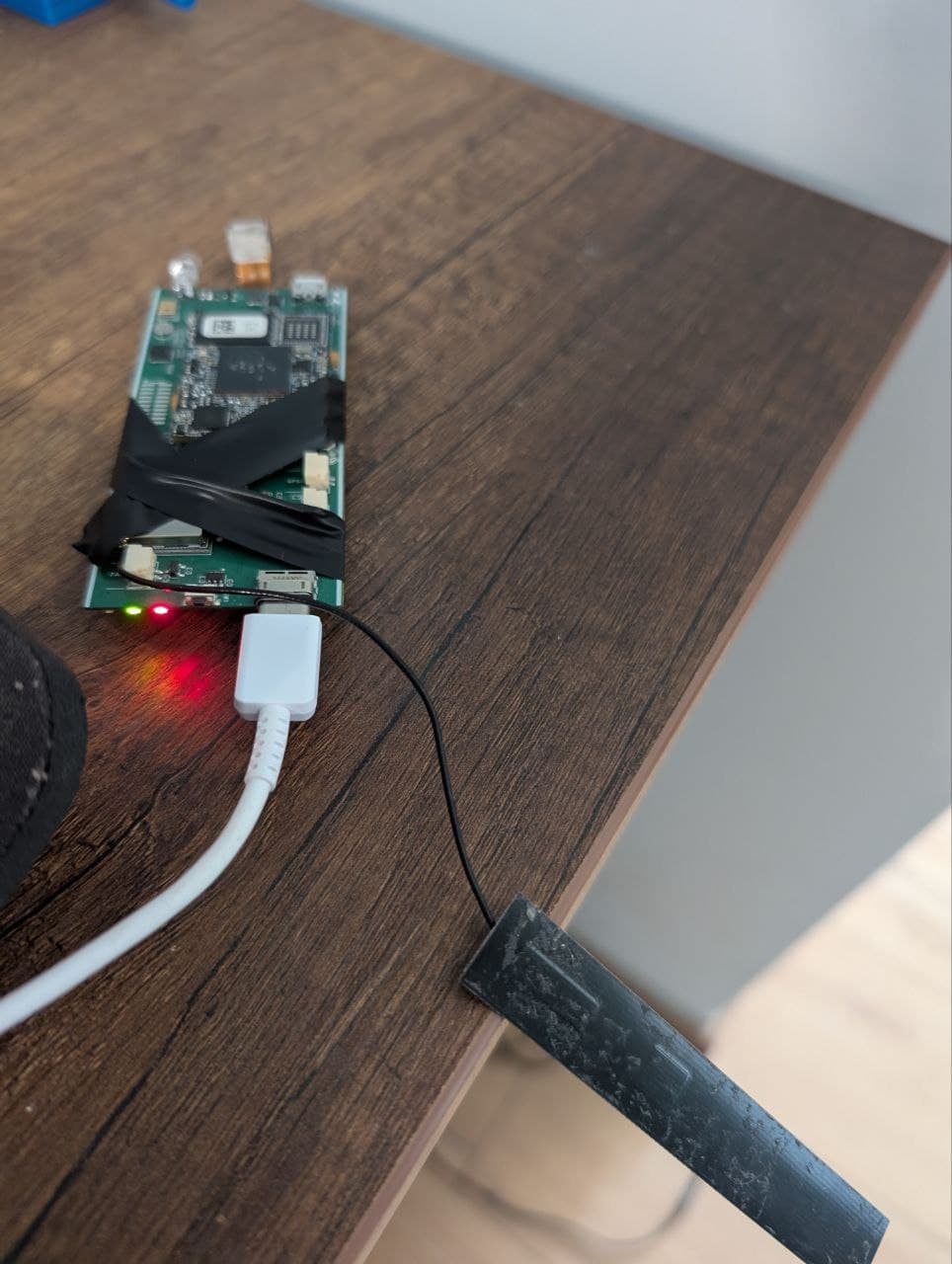
It seems that the noise comes from the board itself. My antenna is parallel with the PCB, because everything in the backpack must be small. If I take it out of the housing and place the antenna further away, see photo, the noise drop to -90 dBm or below.

However, this does not increase the range for sending video from the backpack to the tablet. This makes sense because it is the noise at the router that would be a problem in this case. The reported noise is around -95 dBm to -110 dBm in the router. Does this make sense?

The antenna’s efficiency is only around 50% in the 900 MHz range which is the highest I could find in this form factor. While not great it is only a 3 dB loss so not huge in terms of range. Perhaps it is detuned somewhat due to proximity close to the PCBA, but then the test with the antenna separated should have yielded better results.

It seems that the noise comes from the board itself.

This is not entirely surprising (we see it quite often). Make sure to shield power supplies and high speed parts of the board.

This makes sense because it is the noise at the router that would be a problem in this case. The reported noise is around -95 dBm to -110 dBm in the router. Does this make sense?

Yes, that makes sense. And those readings are from the router are more in line with what I would expect.

Do you have a second Alfa HaLow device you can put in a station mode to compare performance against the camera in the same conditions? Just want to determine if it is environmental or device specific.

I’d also be curious if you have a uFL to SMA cable to run a dipole antenna, to compare performance on the device side as well.

@SanderV What antenna are you using?

@ajudge I currently do not have a second halow router. I will visit a site where we have a second one in a few weeks, so can test there. I am looking into acquiring more. Also looking into Halowlink1.

Good idea! I do have a uFL to SMA cable. I will do some tests tomorrow.

@ericeisele on the router I am using a stock whip antenna from Alfa, or a Yagi antenna from AsiaRF. On the client side it is TE’s ANT-LTE-RPC-ccc. Do you have other recommendations?

@SanderV The documentation for ANT-LTE-RPC-ccc doesn’t state specifically if the performance is tested with the antenna installed on a plastic enclosure. It is possible for the antenna to be de-tuned if it is not installed in a way that is consistent with the manufacturer’s test setup. If you intend to use this antenna, I would consult with the manufacturer on this. Definitely follow @ajudge’s suggestion to test with a known 900MHz dipole if you have one on hand.

In an ideal scenario, how would your antenna be configured on your prototype? Would it be in open air, or closer to (or installed on) the PCB?

So I tested with a known whip antenna connected to the backpack. There was not noticeable difference. I measured the S11 of the whip antenna and it seems pretty good, see below. I wanted to measure the antenna in the backpack as well, but do not currently have the right converters. But Placing it in the backpack or outside of it yields no noticeable difference.

@ericeisele In the backpack the antenna will be close to other components. Given the strict size and weight requirements there is no way around this. In my experience the plastic has little to no influence at these frequencies. But the PCB certainly does, but not to an extreme since placing the antenna for away from the PCB does not drastically improve the range. That being said, including a matching circuit in a future iteration may help improve detuning.

@ajudge Did you find any strange settings in the stats?

If not, then I think the only way to improve the range is through the addition of a high-quality low-noise amplifier at the router. Do you have any experience with this?

Including antenna diversity should make the link more stable in scattering environments, but won’t increase the range much. I have not seen Halow devices employ multiple antennas yet

Comparing the stats to a couple of devices in our office - which is a very busy environment at 900MHz (lots of HaLow devices!), there’s a few stats which have raised my eyebrows but may need to be recaptured due to the desense you identified earlier on your board.

  • Signal field fail bad LTF as a proportion of the packet detect timestamp is about an order of magnitude higher than my devices.
  • RX Sig Field Err: 22591 is higher than RX Pass FCS: 4548 which could indicate interference? Noting that my devices show the RX Pass FCS dominating the RX signal field error value.
  • Frequency offsets appear to be high too, and could be impacting demodulation. I’m getting confirmation on the acceptable values for these.

Aside from the frequency offsets, the other stats could be attributed to interference.

Given these stats were captured when the Noise was measuring quite high (-84), I think it would be helpful to capture them again with the antenna away from the board.

Can you reset the stats (morse_cli -i wlan0 stats -r) and recapture over a fixed period of time? You may want to pass traffic (eg, an iperf), while capturing these stats as well.
Extra points if you periodically dump the stats so we can observe how the stats are changing.

Also, when time allows, I’d be interested to know how your device is performing in free space/line of sight - if that’s possible for you to do.

Ok I have done the tests. One tests where the antenna is inside the backpack, and one where it is separate. The backpack and router are in LoS at about 3 meters apart. I ran an iperf and dumped the stats ever 15 seconds for a minute. Results are in the attached txt files.

Regarding free space LoS testing. I assume you want to know the max range for video streaming in free space LoS conditions. My current location does not easily allow for that. I will see what I can do.

Inside backpack.txt (52.7 KB)

Antenna seperate.txt (52.6 KB)

Thanks for the stats - that was helpful. Turns out I still pointed you at the wrong BCF :man_facepalming: (misread the design used).

We have contacted AsiaRF to submit their preferred BCF to our new repository, morse-firmware, where we hope to collate BCFs from the vendors themselves for distribution in a single place. In the meantime, the closest BCF Morse Micro can share is bcf_mf10220.bin.

Sorry about that!

Thanks! It seems that that has slightly increased the range. I can now get smooth video two floors down if I orient the Yagi antenna in a certain way.

I have repeated the iperf test with the antenna inside the backpack, see attached. It seems that the Noise is also lower.

Not knowing exactly what is inside the BCF. Is it plausible that the BCF AsiaRF will provide will increase the range further?

Inside backpack with bcf_mf10220.txt (52.6 KB)

Love what you’re doing @SanderV! It would be interesting to see what range you get in your environment with 2 x HaLowLink devices for comparison & reference. This should help you figure out if it’s an antenna, board/self interference, environmental interference or hardware/software bug.

Thanks @flex84 ! And I totally agree. Unfortunately it seems that the HalowLink1 is currently unavailable. Mouser says it is out of stock.

However, I have done the next best thing. I got this Halow bridge of of Alieexpress about a year ago, see photo. I hooked an IP camera to my home network and checked the range while connecting the other bridge to my laptop. I was able to stream smooth video two floors down and quite good video three floors down, using Yagi antenna. So this does seem to perform better than my backpack setup.

Especially considering that the IP camera has a resolution of 1280×720, whereas from the backpack I am streaming 320x240. Also, the Halow bridge uses EU frequencies at a BW of 2 MHz. If I understand correctly the EU frequencies will have reduced range at higher throughput due to duty cycle limitations. I am not sure how accurately this has been implemented.

Any thoughts or ideas are welcome!

Ah sorry, I missed that you’re based in Europe!

Unfortunately HaLowLink 1 is not available in Europe yet, see HalowLink-1 Firmware for Germany.

This is because MM6108-based modules require different SAW filters depending on the region they are certified for, so the MM6108 module that is in HaLowLink 1 wouldn’t work well on EU frequencies. With the new MM8108 chip this won’t be a problem anymore, see my recent post here for more information: HaLow Support for EU Region - #2 by flex84

It would be good to confirm that you’re indeed using a EU module (made for CE certification) on both ends, as using EU channels on a US module (made for FCC certification) won’t work well.

Note that most of stuff sold on Alieexpress that is marketed as Wi-Fi HaLow is in fact not really Wi-Fi HaLow and can’t be certified / won’t interoperate. Most of these devices also won’t meet CE certification requirements, so they’re not a great reference point.

Thanks for the background! I was located in the EU last year, but I am not anymore.

For the backpack we are using US modules with US frequencies.

For the AliExpress devices the modules are unmarked. So no idea what they really are. I agree that this is not a good reference point. Let’s forget about them.

They seem back in stock now - I can see 1,094 units in stock on Mouser

I reckon that 2 x HaLowLink devices will give you the best reference point to debug this issue.